
Master Mouse DPI Analyzer & Hardware Sensor Calibration Studio
Calibrate true optical sensor counts per inch across calibrated swipe distances with sub-millisecond precision.
A mouse DPI analyzer measures the true physical counts per inch (CPI) reported by your mouse optical sensor across a calibrated surface distance. By tracking raw hardware counts over a measured 2-inch or 5-centimeter swipe with zero OS cursor acceleration, the analyzer calculates real hardware DPI, sensor variance, and true tracking deviation.
Pointer Lock Tracking Surface
Click to engage raw unaccelerated PointerEvent telemetry
Multi-Trial Averaging Scratchpad
Record up to 5 calibration passes to eliminate human measurement error.
| Trial | Raw Counts | Measured DPI | Deviation | Action |
|---|---|---|---|---|
| No trial passes recorded. Complete a measurement swipe above. | ||||
What is Mouse DPI and How Does Physical Sensor Calibration Work?
Dots Per Inch (DPI), technically designated as Counts Per Inch (CPI) in optical sensor engineering, defines the number of discrete position reports a mouse sends to the operating system per linear inch of physical travel. Sensors like the PixArt PAW3395 Optical Sensor and PixArt PMW3360 Sensor utilize high-speed CMOS microscopic cameras operating at thousands of frames per second to track surface imperfections across mousepads.
Testing true hardware DPI requires bypassing Windows Enhance Pointer Precision via the W3C Pointer Lock API and capturing raw PointerEvent.movementX packets. Players pairing calibrated hardware with our mouse sensitivity and eDPI calculator ensure their physical turn rate remains identical across competitive titles.
Interactive Optical Sensor DPI Analyzer, Multi-Trial Averaging & Deviation Studio
Hardware tolerances, mouse skate thickness, and mousepad weaves introduce nominal tracking variance. Standard 100% Virgin Grade PTFE Mouse Skates and surface textures influence the Static vs Dynamic Surface Friction Coefficient (μs / μk), creating up to 3% to 5% tracking variance against factory nominals.
By taking 5 consecutive measurement swipes using an ISO/IEC 7810 ID-1 Physical Reference Scale, players can benchmark true sensor deviation, calculate arithmetic mean resolution, and export calibrated parameters to our cross-game sensitivity converter.
True Hardware CPI Calculation Formula
Variable Definition & Units
Raw USB reports accumulated through PointerEvent.getCoalescedEvents().
Measured mousepad swipe distance verified with ISO/IEC 7810 reference card.
True calibrated sensor resolution free of OS cursor acceleration.
Moving 2.0 inches with 1,632 raw counts registered yields 1632 / 2.0 = 816.0 DPI (+2.0% variance over nominal 800 DPI).
Mouse DPI vs In-Game Sensitivity: eDPI, cm/360 & True Aim Metrics
In-game sensitivity is a mathematical multiplier applied to hardware DPI. Multiplying hardware DPI by in-game sensitivity calculates effective DPI (Effective DPI (eDPI = DPI × Sensitivity)), representing true angular rotation. Maintaining hardware health also requires testing for mechanical switch degradation with our optical switch double click tester.
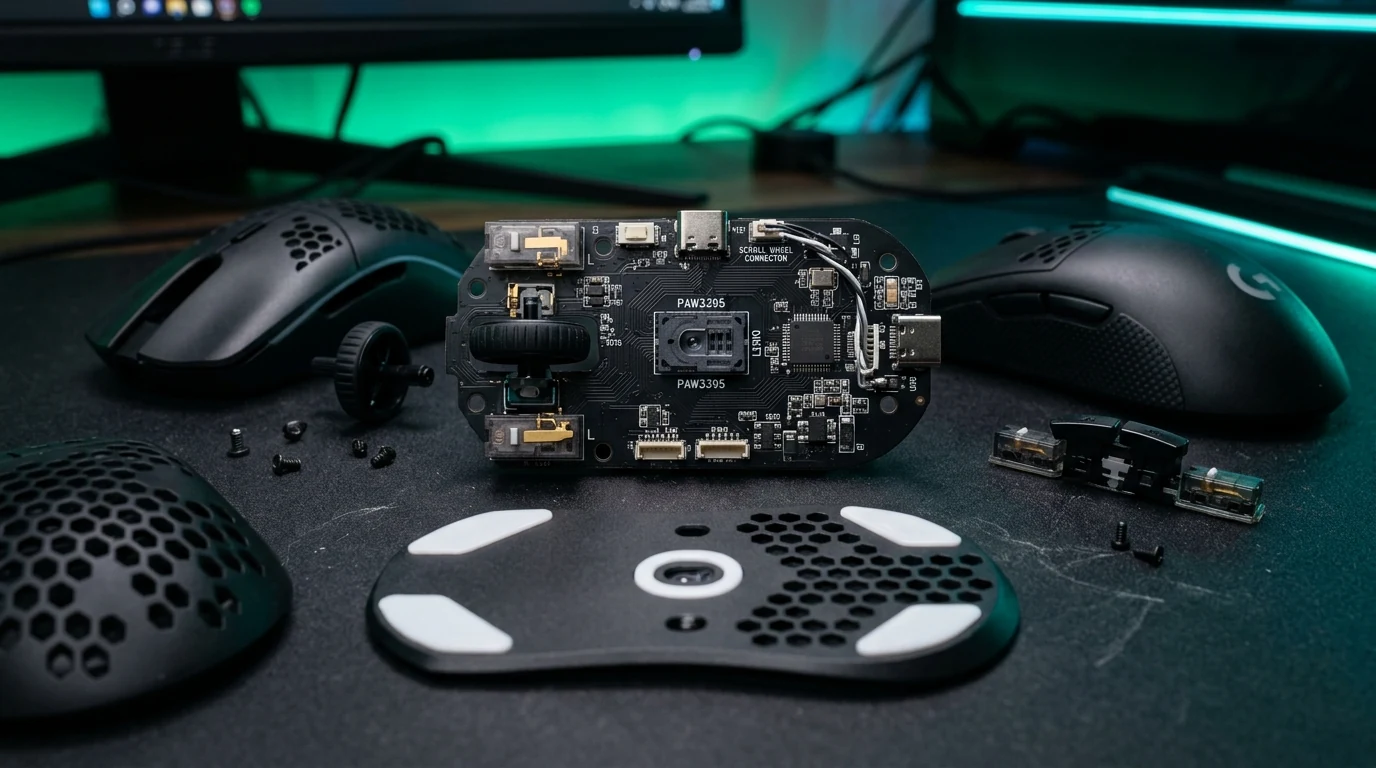
PixArt Optical Sensor Architecture & Internal Hardware Schematic
Inspect sensor die placement, IR LED prism alignment, and mechanical switch actuation points.
PixArt PAW3395 Optical Die
26,000 CPI · 650 IPS · 50G
High-precision image processing array capturing surface micro-textures.
PixArt Optical Sensors: Tracking Speeds (IPS), Acceleration (G) & CPI Tolerances
Modern competitive esports mice deliver tracking speeds exceeding 650 Inches Per Second (IPS) and Maximum Acceleration (50G) at Polling Rate (1000Hz / 4000Hz / 8000Hz). Optical navigation engines take continuous surface snapshots, computing directional vectors through spatial correlation algorithms. Calibrated sensors eliminate Angle Snapping & Line Smoothing, preserving true 1:1 raw tracking vectors.
When configuring sensitivity across multiple games, relying solely on nominal manufacturer presets can introduce aiming discrepancy. Measuring true CPI ensures that your muscle memory translates seamlessly between tactical shooters, battle royales, and arena titles.
Maximum tracking velocity prior to sensor spinout or loss of tracking correlation.
Gravitational acceleration threshold during high-speed flick shots on low-friction pads.
Minimum report interval achievable on native USB 2.0/3.0 high-speed packet pipelines.
Frequently Asked Questions About Mouse DPI Calibration & Sensor Accuracy
01 Why does my 800 DPI mouse measure at 820 DPI in the analyzer?
Optical sensor assembly tolerances, lens height variance, PTFE mouse skate thickness, and fabric weave compression introduce nominal 1% to 3% deviation. This is normal physical hardware variance across optical mice.
02 Does higher mouse DPI reduce input latency during gaming?
Yes. At higher DPI levels, the sensor accumulates the necessary count threshold to report physical movement across shorter micro-displacements, yielding lower sensor frametime latency without adding artificial interpolation.
03 What is the difference between DPI and CPI in gaming mice?
Dots Per Inch (DPI) originated in print technology, while Counts Per Inch (CPI) is the engineering term for optical sensor reports per inch of physical displacement. In gaming hardware contexts, the terms are used interchangeably.
04 How does Pointer Lock guarantee zero cursor acceleration?
The W3C Pointer Lock API delivers unaccelerated raw movement delta values directly from the hardware driver, bypassing operating system acceleration curves such as Windows Enhance Pointer Precision.