
Optical & Mechanical Switch Double Click Speed & Debounce Latency Tester
Detect failing microswitch leaf springs, contact chatter, and unintended secondary click events.
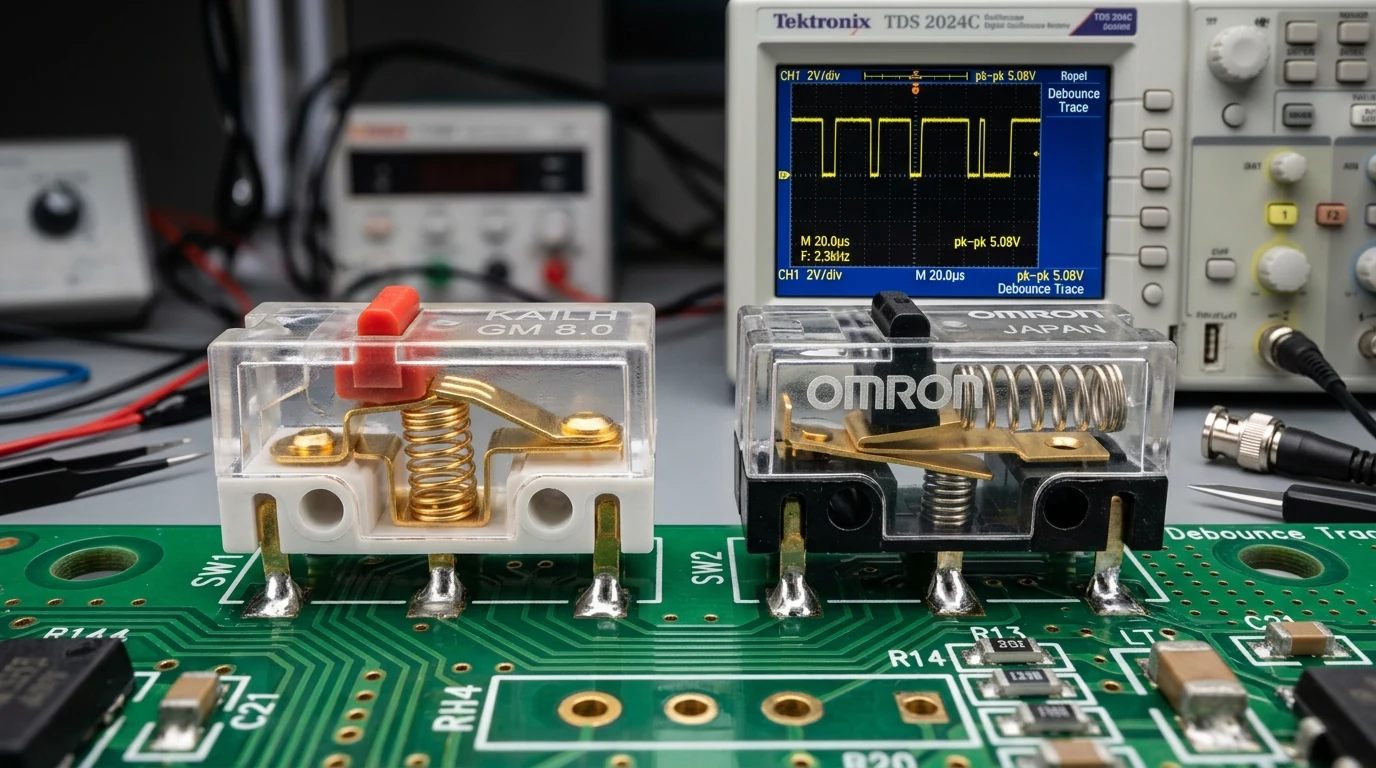
A mouse double click test measures the millisecond latency between consecutive switch press events to identify mechanical contact bounce. When contact leaf springs degrade from oxidation or metal fatigue, microswitches register unintended secondary clicks within 20 to 80 milliseconds of primary release, indicating mechanical switch failure.
Microswitch Actuation Log
FIFO 50 Clicks| Click # | Button | Delta Latency | Debounce Verdict |
|---|---|---|---|
| Click the test zone above to populate switch telemetry. | |||
What Causes Mouse Double Clicking and How Does Switch Bounce Occur?
Traditional mechanical microswitches like the Omron D2FC-F-K (50M), Kailh GM 8.0 Black Mamba, and Huano Blue Shell Pink Dot rely on flexible copper alloy leaf springs. Over millions of rapid actuations, contact points suffer from microscopic sparking, oxidation, and material fatigue. This causes the metal leaves to physically vibrate and chatter upon collision, generating Microswitch Contact Bounce (Δt < 80ms).
Calibrate sensor accuracy alongside switch health on our hardware sensor DPI analyzer and tune in-game rotation on our mouse sensitivity and aim tuning.
Switch Contact Chatter & Debounce Latency Threshold
Variable Definition & Units
High-resolution timestamp interval measured via performance.now().
Firmware threshold below which human single-finger clicks are physically impossible.
A click registered 24ms after initial release triggers a chatter fault, indicating spring fatigue.
Real-Time Microswitch Debounce Latency & Double Click Detection Canvas
Our test canvas samples consecutive mousedown events using sub-millisecond performance.now() timers. When a secondary click is registered within the debounce fault zone, our real-time oscilloscope captures the waveform delta. For cross-title sensitivity adjustments, visit our in-game sensitivity converter.
Mechanical Microswitches (Omron, Kailh GM 8.0) vs Optical Switches (Razer, Lightforce)
Optical Microswitches (Infrared Shutter) such as the Razer Optical Mouse Switch Gen-3 and Logitech Lightforce hybrid switches eliminate contact bounce entirely by using an infrared light beam. When the switch plunger depresses, an internal shutter unblocks the photodiode, triggering actuation with zero electrical chatter and enabling 0.2ms click response times.
Debounce Delay Algorithms, Firmware Filtering & Switch Replacement Protocols
Mouse firmware implements a Firmware Debounce Delay Algorithm to ignore subsequent electrical signals within a 4ms to 12ms window following actuation. Once physical spring degradation produces bounce intervals exceeding the firmware delay window, false double clicks begin registering in desktop environments and game clients. At that stage, desoldering the worn switch and replacing it with fresh components restores factory reliability.
Frequently Asked Questions About Mouse Switch Double Clicking & Debounce Time
01 Can double clicking issues be fixed via mouse software?
Increasing the debounce delay setting in your mouse configuration software (from 4ms to 10ms or 12ms) can temporarily mask contact chatter. However, as oxidation and spring metal fatigue advance, hardware switch replacement is the only permanent solution.
02 Why do optical switches never suffer from double clicking?
Optical switches (such as Razer Gen-3 or Logitech Lightforce) actuate via an infrared light beam rather than physical metal leaf contacts. Because there are no colliding metallic points, electrical contact bounce is physically impossible, allowing zero debounce delay.
03 What is an acceptable click speed threshold for detecting switch failure?
Human finger motor mechanics cannot physically actuate and release a single mouse button faster than approximately 80 milliseconds. Any consecutive registration occurring under 80ms is classified as mechanical contact bounce (chatter).
04 What are the best replacement mechanical switches?
Popular high-durability replacement microswitches include Kailh GM 8.0 Black Mamba (80M clicks, crisp tactile response), Huano Blue Shell Pink Dot (80M clicks, balanced actuation), and TTC Gold Dustproof switches.